
Move IP Block's Between Servers
Overview
We provide two types of IP subnets: Fixed and Failover.
Fixed subnets are routed directly to your server, and you do not need to reserve any addresses in the block for broadcast or gateway purposes. Although the term fixed is used, this does not mean the block is permanently tied to a single server. If you have two or more compatible services, you can move a fixed IP block between them as needed.
Failover subnets are typically placed into a vRack, which allows the IPs to be attached to multiple servers at the same time. Unlike a fixed IP block, which can only be routed to a single server at once, failover IP blocks are designed for high‑availability (HA) setups. Failover subnets can only be assigned to servers that are compatible with HA/vRack networking.
Move an IP Block
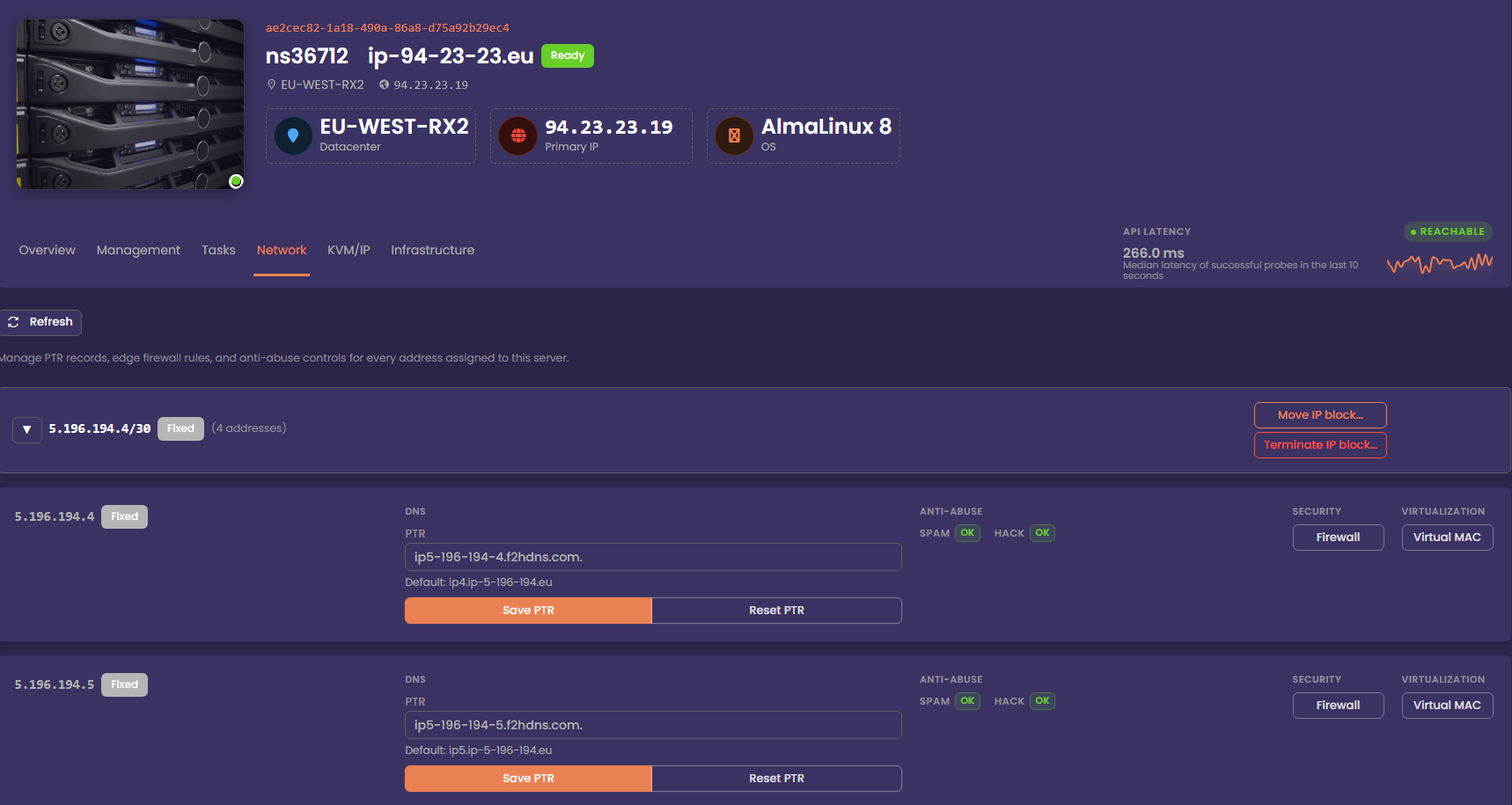
To move the IP block to another compatible service, click Move IP Block. In the modal that appears, select the server you want to attach the IP block to, then confirm the change. The dropdown will only display servers that are eligible to receive the IP block. In most cases, this means other servers within the same region, though they do not need to be in the same datacentre.
You cannot move an IP Block with vMac's assigned to it. Delete any vMac's before attempting to move an IP Block
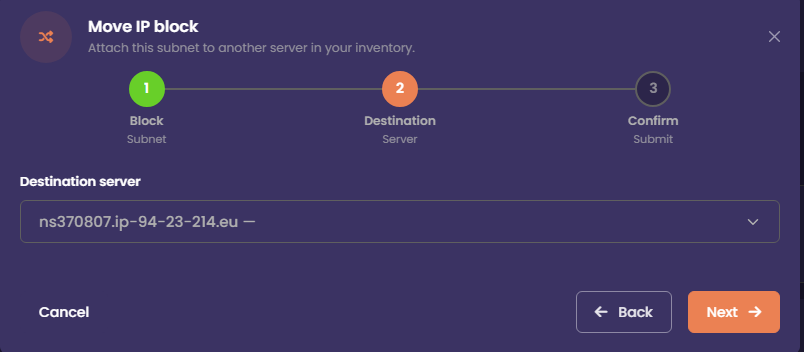
After you confirm the move request, a message will appear indicating that the IP block migration has been received. The IP block will be moved to the selected server within 5 minutes, and it will then appear under the Network tab for that server. The associated IP Addon in your client area will also be updated to reflect the new service.
Monitor Progress
The migration task will appear on the server that is losing the IP block. Once the block has been successfully moved to the receiving server, the task will update to Completed. At that point, the Network tab on the receiving server will display the IP block.
