
IP Address Management
IP Address Management
Within the IP Address Management section, you can manage all IP addresses assigned to your F2HCloud services. This includes viewing, organising, and configuring both Fixed and Failover IP blocks associated with your infrastructure.

All Virtual Server, Cloud Server, and Dedicated Server customers have access to this feature. From here, you can review routing details, attach or detach IP blocks, and manage how your addresses are allocated across your services. By selecting an IP address from your pool, you can manage advanced features.
IP rDNS/PTR Records
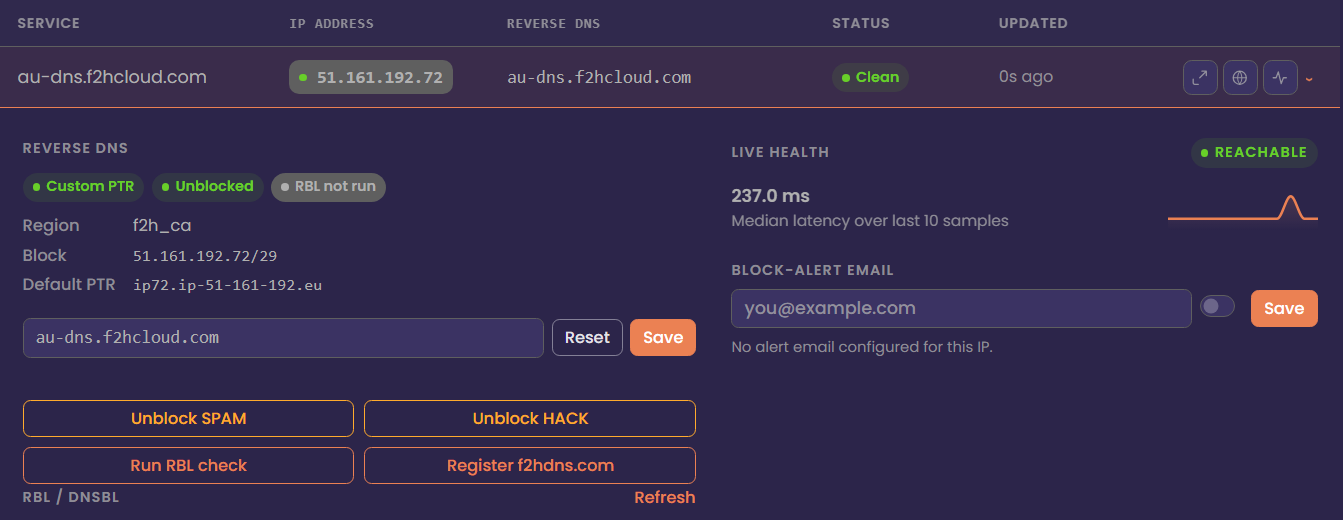
PTR records are essential for customers who intend to send email from their server. Without a valid PTR record, your messages are far more likely to be delivered to junk folders—or rejected entirely. Many mail providers and spam‑filtering systems require a matching forward and reverse DNS entry, and the absence of a PTR record can also lead to your IP address being listed on RBLs such as Spamhaus.
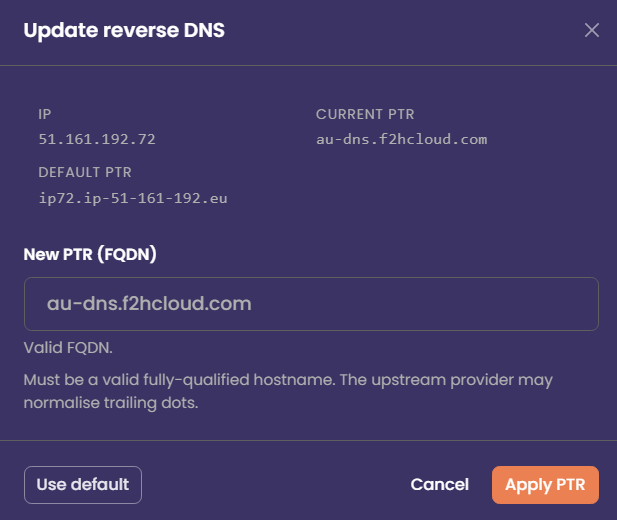
You can configure a PTR record by selecting the IP address within the IP Address Management section and clicking the Update PTR icon on the right. Changes usually propagate quickly, but some mail providers may take additional time to recognise the update.
Bulk Update rDNS/PTR Records
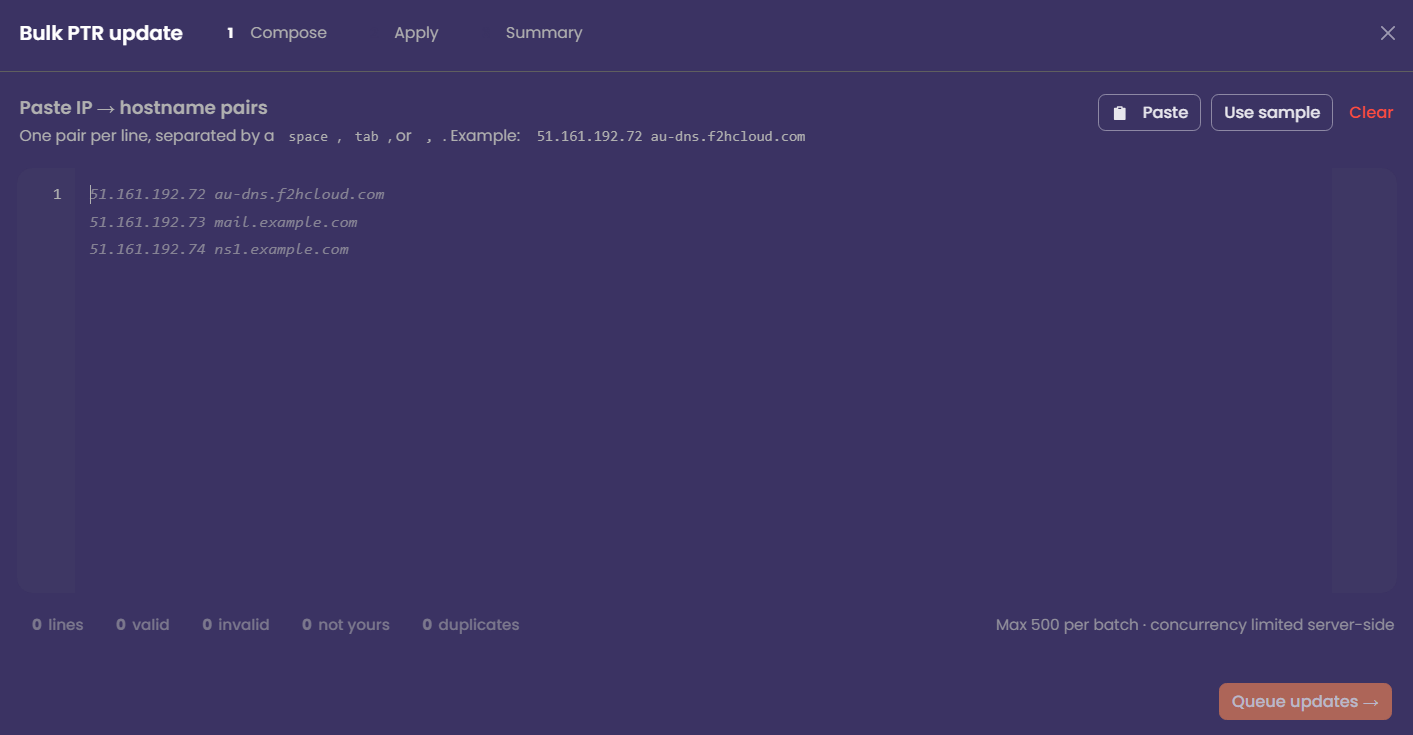
Using the Bulk PTR Updater, you can update up to 500 PTR records at a time. As the task runs, the worker will display real‑time progress so you can monitor how many records have been processed.
Any entries that contain invalid or incorrectly formatted PTR values will be flagged for your review. This allows you to quickly identify and correct problematic records without interrupting the rest of the update process.
Unblock Spam Protection
To help ensure that customer IP addresses do not become listed in RBL databases, we use an AI‑driven system to classify outgoing mail. This system analyses patterns, volume, and message characteristics to detect potential spam activity in real time.
If the Antispam system identifies spam being sent from an IP address, port 25 will be automatically blocked for that IP. This prevents further mail from leaving the server and helps protect the reputation of your IPs before they are listed on services such as Spamhaus.
Once you have identified and resolved the issue—such as removing compromised scripts, securing accounts, or stopping abusive traffic—you can release the port 25 block directly from The NOC. If you configure an email address in the NoC, we will notify you if port 25 is blocked.
Unblock Hack Protection
Similar to the spam‑protection system, Hack Protection automatically locks your server if abnormal or malicious traffic is detected. In the event that your server becomes compromised, this protection helps safeguard your data by preventing further access until you are able to secure the system.
After the lock is triggered, you can use the KVM/IP console to connect directly to the server and investigate the issue. Once you have resolved the underlying problem—such as removing malware, patching vulnerabilities, or securing exposed services—you can unblock the affected IP to restore public access.
RBL Checks
You can check the reputation of your IP address against a common list of more than 30 RBL (Real‑time Blackhole List) databases directly from The NOC. This allows you to quickly identify whether your IP has been flagged for spam‑related activity or other forms of abuse.
If your IP address is listed in an RBL, you are expected to delist it and ensure the underlying issue is resolved so it does not become listed again. Maintaining the health and reputation of your IP space is the responsibility of the customer, and consistent good behaviour is required to “earn” a clean IP reputation over time.
Register F2HDNS Records
F2HDNS is our in‑house DNS platform, providing private and reliable DNS services for all F2HCloud customers. It allows you to create and manage DNS records for your infrastructure without relying on external providers.
Many networks—especially corporate environments—block direct access to raw IP addresses for security reasons. F2HDNS removes this barrier by allowing users to connect to your services using a fully qualified domain name (FQDN) instead of an IP. This improves compatibility, security, and accessibility across a wide range of networks and devices.
API Activity
Within the API Activity screen, you can view an audit log of the most recent jobs handled by the API. This includes details such as the action performed, the time it was executed, and the status of each task. The activity log provides a clear overview of automated operations, helping you track changes, troubleshoot issues, and verify that API‑driven workflows are running as expected.
